G Maps Extractor vs Outscraper - Choosing The Best
Updated 8/24/2026
Both G Maps Extractor and Outscraper can pull business data from Google Maps, and both are used for lead generation, local SEO, and market research. So the G Maps Extractor vs Outscraper question usually comes down to one thing: how much do you need beyond Google Maps?
G Maps Extractor is a focused Google Maps tool. It gives you a no-code Online Scraper, a Google Maps Scraper API for automation, and a browser extension, all built around one job: getting business data off Google Maps and into a usable file. Outscraper is a broader public-data platform. Google Maps is one of many scrapers it offers, alongside search results, reviews from several sources, Amazon data, and more, with pay-as-you-go pricing and a strong API and SDK.
Neither is simply better. This Google Maps scraper comparison lays out where each one fits, so you can pick based on your actual workflow instead of a feature count.
Quick Verdict
| Choose G Maps Extractor if | You mainly need Google Maps data and want it simple: a no-code Online Scraper with CSV export, a browser extension for working inside Google Maps, and a Google Maps Scraper API for automation, on predictable monthly plans aimed at local leads, sales, and SEO. |
| Choose Outscraper if | You need a broad data platform that reaches well beyond Google Maps, and you prefer pay-as-you-go pricing with an API or SDK workflow that slots into your existing stack. |
G Maps Extractor vs Outscraper: Feature Comparison
| Feature | G Maps Extractor | Outscraper |
|---|---|---|
| Main focus | Focused Google Maps business data | Broad public data platform; Google Maps is one of many sources |
| No-code options | Online Scraper (cloud) and a Chrome and Edge browser extension | Web app dashboard |
| Browser extension | Yes, works directly inside Google Maps | Not the primary workflow |
| API access | Google Maps Scraper API, plus Reviews and Photos APIs | API and SDK across its services |
| Exports | CSV from the Online Scraper; JSON via the API | CSV, Excel, Parquet, JSON |
| Pricing model | Monthly plans with set record allowances, plus free monthly credits | Pay as you go, usage based, with a free tier |
| Best user type | Google Maps leads, local SEO, sales, CRM | Multi-source data projects and developer workflows |
The table points at the real split: G Maps Extractor keeps a narrow focus and a simple structure, while Outscraper trades that focus for breadth and a usage-based model.
What G Maps Extractor Is Best For
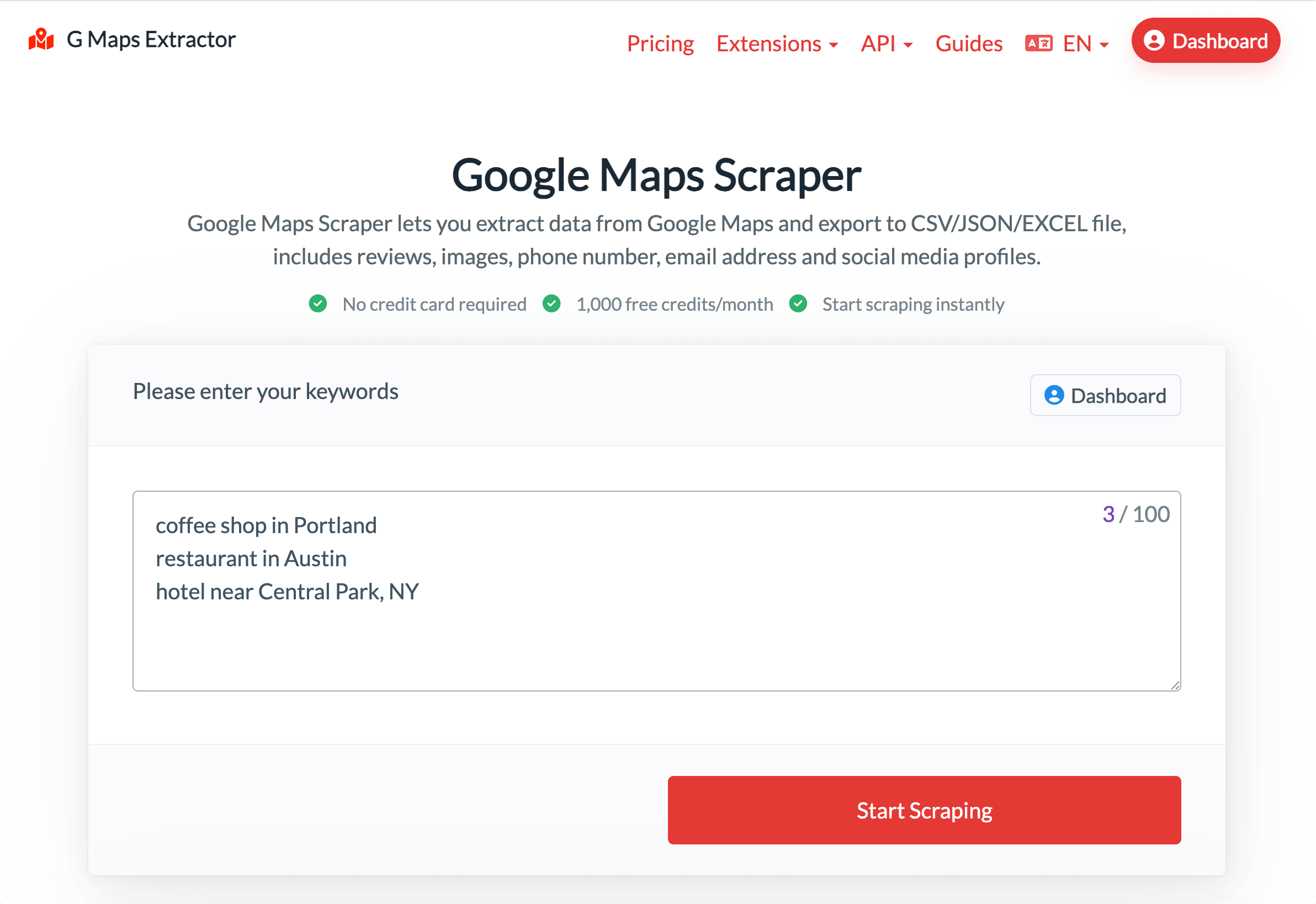
G Maps Extractor is designed for people whose primary goal is pulling business data from Google Maps quickly, with no learning curve—making it the straightforward end of the G Maps Extractor vs Outscraper comparison. Its online Google Maps scraper runs entirely in the cloud as a true no-code tool: just enter a search like "coffee shop in Portland", start the job, and download a ready-to-use CSV. No installation is required, and every new user gets free credits each month to try the service.
When you need automation, the Google Maps Scraper API returns JSON for CRM enrichment and scheduled workflows, with dedicated Reviews and Photos endpoints for those specific jobs. There's also a Chrome and Edge browser extension for people who prefer to pull data while browsing Google Maps directly, so the same tool covers no-code, in-browser, and automated workflows.
It's the stronger pick if your work is local lead generation, sales prospecting, local SEO, or CRM list building, and Google Maps is the source that matters.
What Outscraper Is Best For
_6nwzlHx2c.png?updatedAt=1706336065652)
Outscraper is the better fit when Google Maps is only part of what you need. It's a public-data platform, so alongside Google Maps, it covers other sources like search results, reviews, and e-commerce data, plus enrichments and contact tools. If you're building a data pipeline that draws from several places, having them under one account and one API is a real advantage.
It leans developer-friendly, with an API, an SDK, and more export formats, including Parquet. If you have engineers who want usage-based billing and a broad set of sources, Outscraper may fit your stack better than a focused tool would. For teams evaluating an Outscraper alternative purely for Google Maps, though, a dedicated tool is often simpler, which is the core trade-off behind any G Maps Extractor vs Outscraper decision.
Pricing: A Quick Comparison
The two tools charge in different ways, so the better deal depends on how you work.
| Features | G Maps Extractor | Outscraper |
|---|---|---|
| Free tier | 1,000 records per month | First 500 businesses |
| Paid entry | $29 per month for 80,000 records (Basic) | $3 per 1,000 records up to 100k |
| At higher volume | Larger monthly plans available | $1 per 1,000 records after 100k |
| Model | Monthly plan, fixed allowance | Pay as you go |
G Maps Extractor gives you a set allowance each month, so the cost is fixed and easy to budget. That suits recurring Google Maps lead generation, where you pull lists regularly. Outscraper charges per record with no monthly commitment, which can work better for occasional or uneven usage.
Neither is always cheaper. It depends on your volume and how often you run jobs. Prices also change, so check the current G Maps Extractor pricing page and Outscraper's pricing page before you decide.
Which Tool Should You Choose?
A few common situations settle most G Maps Extractor vs Outscraper questions:
- You just want Google Maps leads in a spreadsheet, no code: G Maps Extractor and its Online Scraper.
- You need data from many sources beyond Google Maps: Outscraper.
- You want to automate Google Maps data specifically: the Google Maps Scraper API from G Maps Extractor.
- You prefer pay-as-you-go over a monthly plan: Outscraper. You prefer a fixed monthly allowance: G Maps Extractor.
- Your focus is local SEO, sales, or CRM around Google Maps: G Maps Extractor.
If you want to see the workflow before deciding, the guide on how to extract data from Google Maps walks through it step by step.
FAQs
Is G Maps Extractor a good Outscraper alternative?
If your focus is Google Maps specifically, yes. G Maps Extractor concentrates on Google Maps data with a no-code Online Scraper, a dedicated API, and an extension. Outscraper is broader, so it's the better choice when you need sources beyond Google Maps.
What is the main difference between them?
Scope. G Maps Extractor is a focused Google Maps tool. Outscraper is a wider public-data platform where Google Maps is one of many scrapers. That difference drives most of the others in any G Maps Extractor vs Outscraper comparison, including the pricing model and export options.
Which is better for no-code users?
Both offer a no-code workflow, and this is often where a G Maps Extractor vs Outscraper comparison gets decided. G Maps Extractor's Online Scraper is purpose-built for Google Maps and keeps the steps minimal: enter keywords, run, and download a CSV. Outscraper's app covers more services, which is powerful but a little more to learn if all you want is Google Maps.
Do both have an API?
Yes. G Maps Extractor offers the Google Maps Scraper API plus Reviews and Photos endpoints. Outscraper offers an API and SDK across its full range of services.
Which one is cheaper?
It depends entirely on your usage because the pricing models differ. G Maps Extractor uses monthly plans with set record allowances, while Outscraper is pay-as-you-go. Estimate your monthly volume and compare each against that rather than relying on a single sticker price.
Conclusion
The G Maps Extractor vs Outscraper decision is really about focus versus breadth. If Google Maps is your main source and you want a simple, predictable, no-code workflow with an API when you need it, G Maps Extractor is the natural pick. If you need a wide platform across many data sources with pay-as-you-go pricing, Outscraper earns its place.
Both work with publicly available business information, and both save the hours that manual research would cost. Match the tool to your workflow, and either can be the right call.
Start Online Google Maps Scraper Free | View Google Maps Scraper API